Beyond the Template: Creating Dynamic Documents That Adapt to Your Content
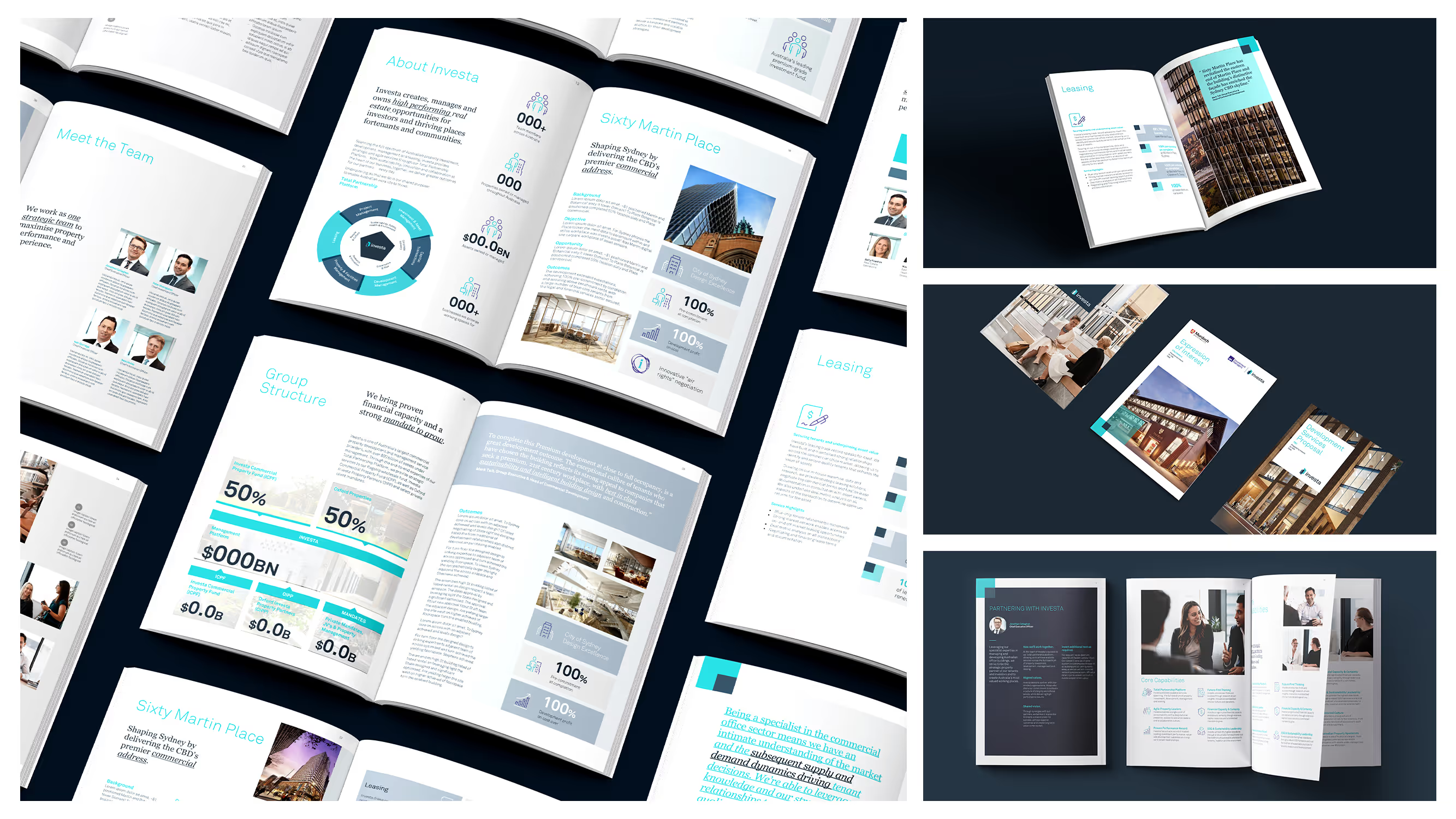
Static templates served us well for years. A fixed layout, some placeholder text, a logo in the corner - job done. But modern business communication demands more flexibility than a rigid framework can provide. Teams need documents that respond intelligently to different content lengths, varying data sets, and diverse communication needs without requiring a design degree to produce professional results.
Dynamic documents represent the next evolution in Microsoft Office template design. These intelligent systems anticipate how content will behave and adjust formatting automatically, ensuring every document looks polished regardless of whether you're working with three bullet points or thirty paragraphs.
The Limitations of Static Templates
Traditional templates operate on a fixed assumption: that your content will fit neatly into predetermined spaces. The reality is far messier. Product descriptions vary in length. Financial data fluctuates between quarters. Team bios range from two sentences to two paragraphs. When content doesn't match the template's expectations, the results can be awkward at best and unprofessional at worst.
Marketing teams frequently encounter this challenge when repurposing content across different formats. A case study that looks stunning as a two-page spread becomes cramped and cluttered when condensed for an email attachment. Sales teams wrestle with proposal templates that work beautifully for small projects but fall apart when documenting complex, multi-phase engagements.
The typical workaround involves manual adjustments - tweaking font sizes, adjusting margins, reformatting tables by hand. This approach consumes valuable time and introduces inconsistency. It also creates a frustrating bottleneck where skilled team members spend hours on formatting instead of focusing on content quality and strategic communication.
What Makes a Document Truly Dynamic
Dynamic documents incorporate conditional formatting, flexible content containers, and intelligent styling rules that respond to the actual content being inserted. Think of them as templates with built-in decision-making capabilities.
A well-designed dynamic Word template might include content controls that expand or contract based on text length, automatically adjusting page breaks and section formatting. Table styles can adapt column widths based on data volume. Heading hierarchies can shift to accommodate varying levels of document complexity.
In PowerPoint, dynamic functionality extends to slide masters that accommodate different content configurations without breaking the visual design. A single slide layout might elegantly handle four bullet points or twelve, maintaining proper spacing and visual balance throughout.
The technical foundation for this adaptability lies in Microsoft Office's built-in features - content controls, conditional formatting rules, linked styles, and carefully structured master slides. These tools exist within the standard Microsoft 365 environment, requiring no additional software or plugins. The challenge lies in configuring them correctly and understanding how they interact.
Building Flexibility Into Your Template Architecture
Creating documents that genuinely adapt requires thinking differently about template structure from the outset. Instead of designing for an ideal scenario, effective dynamic templates anticipate the full range of content possibilities.
Start by auditing how your existing documents are actually used. Examine the variations that occur in practice - the shortest and longest versions of each content type, the different data configurations that appear in reports, the range of imagery your team typically includes. This analysis reveals the flexibility requirements your templates must accommodate.
Content hierarchy becomes particularly important in dynamic documents. Establishing clear relationships between heading levels, body text, and supporting elements allows the document to maintain visual logic even when content volumes shift dramatically. When a section expands from one paragraph to five, the surrounding elements should respond proportionally.
Consistent use of styles is non-negotiable for dynamic functionality. Every text element must be assigned to an appropriate style rather than formatted directly. This discipline enables the cascading adjustments that make dynamic documents work. Direct formatting - manually changing fonts, sizes, or colours - breaks the chain of intelligent responses.
White space management also requires deliberate attention. Dynamic documents need breathing room to accommodate content expansion without becoming cramped. This often means designing with more generous margins and spacing than static templates, trusting that the extra space will be utilised effectively when content grows.
Practical Applications Across Business Functions
Investor relations teams benefit significantly from dynamic document capabilities. Quarterly reports contain varying amounts of commentary depending on market conditions and company performance. A dynamic template ensures these documents maintain professional consistency regardless of whether management discussion spans two pages or twenty.
Proposal development becomes substantially more efficient when templates adapt to project scope. Rather than maintaining separate templates for small, medium, and large engagements, a single dynamic system can accommodate the full range. This consolidation simplifies template management and ensures brand consistency across all proposal variations.
Training and policy documentation presents another compelling use case. As procedures evolve and expand, dynamic templates accommodate growing content without requiring complete redesigns. New sections integrate smoothly into existing structures, and formatting remains consistent throughout the document lifecycle.
Marketing collateral particularly benefits from dynamic approaches when content must be localised or customised for different markets. A brochure template that adapts to varying text lengths accommodates translations elegantly - essential when German typically runs 30% longer than English and Japanese text often requires different line spacing.
The Role of Template Governance
Dynamic documents don't eliminate the need for template governance - they actually make it more important. When templates contain intelligent functionality, maintaining that functionality requires more careful version control and user guidance.
Effective governance for dynamic templates includes clear documentation of how flexibility features work. Users need to understand which elements will adapt automatically and which require manual attention. Training materials should cover both the capabilities and the boundaries of the template system.
Version management becomes critical when templates contain complex conditional logic. A small change to a style definition can cascade through the entire document system. Establishing clear approval processes for template modifications protects the investment in dynamic functionality.
User feedback channels help identify where dynamic features are working well and where they're falling short. Real-world usage reveals edge cases that weren't anticipated during development, providing valuable input for ongoing template refinement.
Getting Started With Dynamic Document Design
Transitioning from static to dynamic templates doesn't require rebuilding everything at once. Most businesses benefit from a phased approach that prioritises high-volume, high-variation documents first.
Begin with an assessment of your current template ecosystem. Identify which documents would benefit most from adaptive capabilities - typically those that currently require the most manual formatting adjustments or those produced in the highest volumes.
Audit the variation patterns in your existing documents. Understanding how content actually varies in practice informs the flexibility parameters your dynamic templates need to accommodate.
Consider the skill levels of your template users. Dynamic features only deliver value if people understand how to use them correctly. Investment in well-designed templates should be matched with appropriate training and documentation.
Making Your Documents Work Harder
Templates that adapt to content rather than forcing content into rigid frameworks represent a meaningful upgrade in document efficiency. Teams spend less time wrestling with formatting and more time focusing on the quality of their communication. Brand consistency improves because intelligent templates handle edge cases that previously resulted in manual workarounds.
The technical capabilities for dynamic documents exist within standard Microsoft 365 applications. Realising their potential requires expertise in template architecture, conditional formatting, and style management - skills that develop through extensive experience with corporate document systems.
Ideaseed specialises in creating Microsoft Office templates that genuinely work harder for your team. Our template design services deliver document systems that accommodate real-world content variation while maintaining the professional polish your brand demands.
If your current templates require constant manual adjustment to produce consistent results, there's a better way forward. Complete our free template audit questionnaire HERE to find out how dynamic document design could transform your team's productivity.
Need a branded template? We can turn it around overnight.
Australia's Microsoft Office template specialists with a South Africa team that delivers while you sleep.



RAVE REVIEWS
who we work with


.svg)
.svg)
.svg)
.svg)








