Copilot Chat Now Makes Word and PowerPoint Files. Whose Template Is It Using?
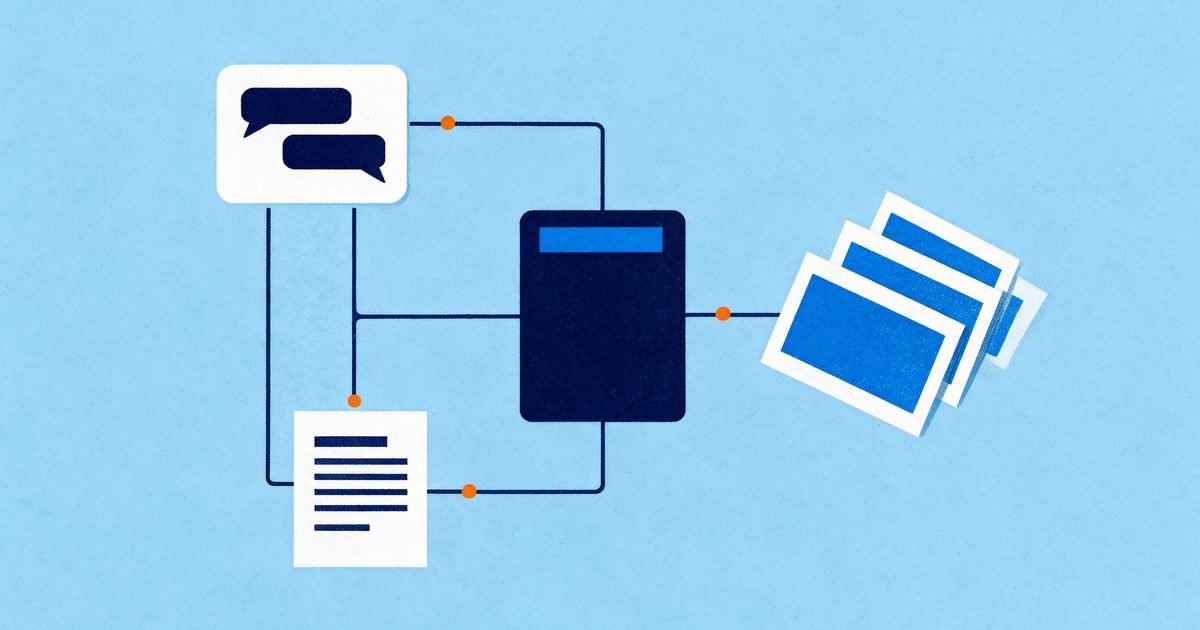
For thirty-odd years, every Word document and PowerPoint deck in your business started life the same way. Someone opened the app, chose File, New (or double-clicked a template, or copied last month's version, which is a conversation for another day) and the template decided what the file looked like from that moment on.
That moment is starting to disappear. Microsoft says Copilot Chat can now create Word, PowerPoint, Excel, PDF and HTML files as part of multi-step work, Copilot Cowork builds whole presentations from a single instruction, and Notebooks can create or edit Office files from the material collected in them. Full editing of Word and PowerPoint files alongside Chat is rolling out to Frontier customers now. More and more of your business's documents will be born somewhere other than Word or PowerPoint, and nobody will have clicked File, New.
So the question for anyone responsible for brand or templates is a simple one with a slightly complicated answer: when Copilot creates a file, whose template is it using?
What happens when AI creates a file with no template?
If nothing tells Copilot which template to use, it uses Microsoft's. That means the default Office theme, Aptos for body text, Microsoft's default colour palette and a set of generic layouts, with your logo nowhere in sight. The file is perfectly tidy and has nothing to do with your brand.
This is expected behaviour, because a template is the only place a file learns its styles, theme, layouts and colours, so a file created without one falls back to whatever the application ships with. A person opening a blank document gets exactly the same result. The difference is that a person would notice the wrong fonts and go looking for the template, and a prompt typed into Chat at speed usually won't mention it.
Where Copilot looks for your templates
There are a few routes by which your own templates make it into AI-created files, and they behave differently.
Brand Kit. Microsoft 365's Brand Kit stores your approved templates, logos, colours, fonts, images and voice guidelines, and Copilot draws on it when it creates content. The PowerPoint Agent in Copilot Chat can build a deck using the kit's layouts and colours, and the Word Agent can create documents using Brand Kit templates. Brand managers publish the Official kit for the whole business, although any licensed user can create a Personal or Shared kit, which is worth keeping an eye on (more on that below).
The organisation assets library. A SharePoint library registered as an Office template library makes your templates appear under File, New in the desktop apps, and it's one of the places Cowork can pick up a template from. It only accepts true template formats (.potx, .dotx and .xltx), and changes can take up to 24 hours to show up.
A template you point to. Cowork can also work from a template attached to the conversation or saved in OneDrive. Reports from people testing it describe it keeping the theme, fonts, layouts, slide master and placeholder positions intact while writing new text into them, which is exactly what you'd want.
There's an important catch that third-party testers keep flagging. If you paste a link to a deck, or upload an ordinary finished presentation and say "make it look like this", Copilot has something to imitate without having access to your actual slide master, so you end up with an approximation of the brand that's close enough to pass at a glance and wrong in all the places your brand team will spot.
Why the template underneath still decides the quality
Getting Copilot to use your template is the first step. How good the result looks depends on what the template contains.
An AI tool building a deck chooses from the layouts in your slide master, reads their names to work out what each one is for, and fills the placeholders it finds. A master with forty well-named layouts and correctly set placeholders gives Copilot plenty to work with. A master with five layouts, three of them called "1_Custom Layout", gives it very little, and the deck that comes back shows it.
It's the same story with styles in Word. A Word template with a complete style hierarchy (headings, body text, lists, tables, captions, etc) lets Copilot produce a document that's formatted correctly from top to bottom. A template that relies on direct formatting gives the AI a document full of exceptions to copy, and it copies them faithfully.
This is what an AI-ready document ecosystem means in practice. The templates are built from scratch with clean structure and published as the single approved version in a place Copilot can find them, so that any file created anywhere in Microsoft 365 starts from the right foundations.
The old-template problem
One risk is easy to miss. Copilot grounds its work in the files you have access to, and most businesses have years of old decks and documents sitting in OneDrive and SharePoint using previous versions of the brand.
If a user asks Chat to "create a proposal like the one we sent last year", Copilot may well base the new file on last year's proposal, using last year's template, colours and logo. A Personal brand kit set up by an enthusiastic team member using an outdated template can have the same effect. These are the same version-control problems businesses have always had, now operating at the speed of AI.
So the clean-up work matters more than it used to. Retire superseded templates from shared locations, keep one Official brand kit pointing to the current templates, and make sure the organisation assets library only contains what you want people (and Copilot) using.
How to check what Copilot is actually using
Because Microsoft is rolling these features out gradually and behaviour varies between tenants, the reliable way to know is to test it yourself. It doesn't take long.
Ask Copilot Chat to create a short Word document and a short PowerPoint deck on a business topic, without mentioning a template. Then ask for the same again, this time naming your template or brand kit. Open all four files in the desktop apps.
In the PowerPoint files, go to View, Slide Master. If you see your own master with your named layouts, Copilot used your template. If you see Microsoft's Office Theme, or a master that looks vaguely like yours with generic layout names, it didn't. In the Word files, open the Styles pane and check the Normal style and Heading 1. Aptos at Microsoft's default sizes means the file came from the default template.
Repeat the test with Cowork if your business uses it, and again in a month, since these features are changing quickly. Write down what you find, because that's the basis for the instructions you'll give your team about which prompts and routes produce on-brand files.
What to set up now
If you're responsible for templates or brand, a few pieces of groundwork will make AI-created files far more likely to come out right.
Get your templates into true template formats and into the organisation assets library, so they're available to people and AI from the same source. Set up an Official Brand Kit containing those templates, and decide who is allowed to create Shared kits. Clear out superseded templates and keep the old versions somewhere AI grounding won't pick them up by accident. And check that the templates themselves are built for AI to work with: well-named layouts, properly set placeholders, a full style hierarchy and theme colours throughout.
Then tell your team. A one-page guide on how to ask Copilot for an on-brand file (which brand kit to choose, how to reference the template) will do more for consistency than any amount of policy.
Where designers still come in
A well-built template paired with AI produces clean, consistent, correctly branded documents and decks, no matter who's prompting. For the everyday flow of reports, updates and internal presentations, that's a fabulous outcome and a real reduction in formatting work.
For the pitch deck that tells a visual story, or the custom infographic explaining how your service works, you still need a designer. The template's role is to make sure everything else comes out right, wherever and however the file was created.
Jim is a co-founder of Ideaseed and its technical lead, with deep expertise in Microsoft Office template architecture, automation, VBA, VSTO and Office.js. He builds AI-ready Word and PowerPoint templates designed to work with Copilot, Brand Kit and the organisation assets library, and keeps a close watch on how Microsoft's AI features use them.
Not sure whether Copilot is creating files from your template or Microsoft's? Our free template health check takes a few minutes and shows you where your templates stand.
Need a branded template? We can turn it around overnight.
Australia's Microsoft Office template specialists with a South Africa team that delivers while you sleep.


RAVE REVIEWS
who we work with