One Template, Four AI Tools: Building for a Multi-Model Office
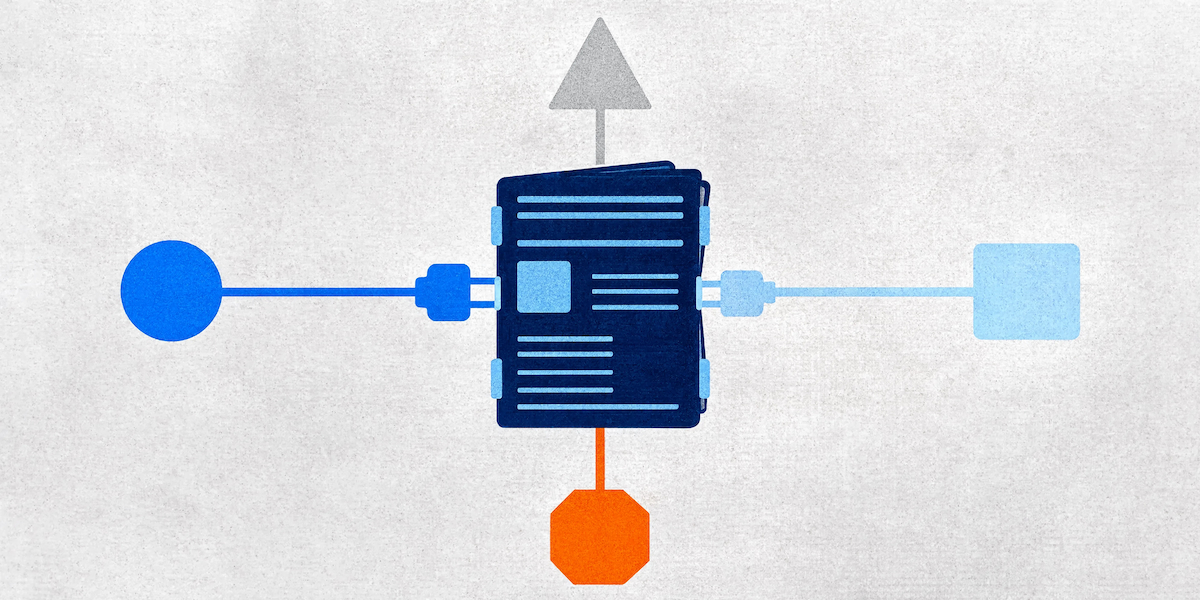
There's a meeting happening in a lot of businesses right now, and it goes something like this. Someone from IT presents three AI tools. Someone from finance asks what each one costs per seat. Someone from legal asks where the data goes. Four months later there's a decision, a pilot group, and a training plan. Meanwhile half the marketing team has already installed something else.
It's a reasonable meeting to have. It's also the wrong thing to build your document strategy around, because the tools will change again within the year. AI-ready Microsoft templates are the one investment in this conversation that doesn't expire when the procurement decision does.
Your Office has more than one AI in it now
A quick tally of where things stand. Microsoft 365 Copilot is the native option, and it no longer runs on a single model: OpenAI's GPT-5.6 family arrived in July, alongside Anthropic's Claude Sonnet 5 in Copilot for PowerPoint, Word and Cowork. Copilot Cowork picks the model that suits the task, favouring Anthropic models for visual work like PowerPoint.
Outside Copilot, xAI shipped Grok add-ins for Word, PowerPoint and Excel through the Microsoft Marketplace in June, with Grok's live access to current data as the pitch. OpenAI has an official ChatGPT add-in for PowerPoint. Anthropic has Claude for Word, Excel and PowerPoint. All of them install the same way, through Insert then Add-ins, and all of them appear as a side panel next to the document you're already working in.
So the realistic picture inside a mid-sized business is Copilot as the sanctioned tool, one or two add-ins that individual teams have adopted, and a handful of people pasting content into a browser tab because that's the workflow they learned first. Standardising on one tool is a fine ambition. Betting your brand consistency on it is a stretch.
What do AI tools actually need from a template?
The same things, as it turns out, because they're all reading the same file.
A .potx or .dotx is Office Open XML underneath. Placeholders, layouts, theme colours, named styles, content controls. Every AI tool that operates inside PowerPoint or Word parses that structure to work out what it's looking at and where new content should go. None of them invent a private format. None of them get special access to information the file doesn't contain.
Which means the template requirements are boringly consistent across every tool on the market:
- Placeholders with defined roles, so generated content goes somewhere sensible instead of floating over your logo
- A theme carrying your actual brand palette, so anything created inherits the right colours rather than Office default blue
- Named paragraph and character styles in Word with a working hierarchy, so an AI-drafted section knows what a Heading 2 looks like in your house style
- Layout names a human wrote, because that's the signal every tool uses to decide where things belong
- Content controls where structured fields matter, so the parts of a document that must stay fixed actually stay fixed
Switch from Copilot to Grok tomorrow and not one item on that list changes. That's the argument for treating template architecture as infrastructure rather than as a Copilot project.
The thing that changes, and the thing that doesn't
Models change constantly. Copilot alone has cycled through several model families in the past eighteen months, and the differences are real: some are better at long reasoning, some at visual work, some at pulling in current information. Microsoft now routes tasks to different models automatically depending on what you've asked for.
Your brand doesn't move at that speed. Neither does your report structure, your proposal format, or the way your business likes its financial tables to look. Those live in the template, and a well-built template will outlast three or four generations of AI tooling.
This is why the "which AI should we buy" question, however important for licensing and compliance, is a poor foundation for document strategy. You're choosing a tenant. The building is separate.
Where businesses get caught out
Two patterns come up repeatedly.
The first is the tool-specific fix. A team notices Copilot producing off-brand decks, so someone writes a prompt library, or a custom Skill, or a set of instructions circulated by email, telling everyone to specify the brand colours every time. It works, in the sense that the person who remembers to use it gets a better result. Then a different team adopts a different add-in with a different instruction format and the whole exercise starts again.
The second is assuming AI can see things it can't. People are often surprised that an AI tool can't tell their brand blue from any other blue. If that colour was typed into the custom colour picker on individual slides rather than defined in the theme, there's nothing in the file identifying it as meaningful. The AI is reading exactly what's in the file, and the file says nothing.
Both problems dissolve when the information lives in the file. A theme carries your palette. Named styles carry your typography. Placeholders carry your layout logic. Every tool that opens the document gets the same brief without anyone having to write it down.
Word is where this gets expensive
Most of the AI conversation happens around presentations, because a bad slide is visible from across the room. The larger cost sits in Word, where the documents are longer, the formatting is more fragile, and the consequences of a broken style hierarchy compound over sixty pages instead of six slides.
When any AI tool drafts or restructures a section in Word, it needs to know what your headings are. Named paragraph styles with a working hierarchy give it that: Heading 1 down through Heading 4, body copy, captions, table text, each defined once and applied everywhere. Draft a new section into a document built that way and it arrives looking like the rest of the report.
Draft into a document where every heading is body text that somebody made bold and bumped up to 14 point, and the new section arrives looking like whatever the AI guessed. Your automatic table of contents, meanwhile, remains empty, because it was always empty. Nobody noticed until now.
Content controls are the other half of this. They mark the sections of a document that hold specific, structured information: the client name, the document date, the approval block, the fields that link to document properties and populate themselves. An AI tool editing around content controls has clear signposts about what's fixed and what's open for redrafting. Without them, everything looks equally editable, which is how disclaimers get rewritten.
Governance is getting easier, if your assets are in order
Microsoft has been building the plumbing for this. Copilot in PowerPoint can now use branded assets from your Microsoft 365 Brand Kit: logos, icons, themes and fonts, managed centrally by brand managers. Copilot Cowork can pull branded PowerPoint templates from your asset library, so a generated deck starts with approved colours, fonts, logos and layouts rather than needing a clean-up afterwards.
Copilot in PowerPoint can also reference SharePoint libraries and OneDrive folders when creating a presentation, grounding the deck in your existing material rather than general knowledge. Useful, and it raises an uncomfortable question: what does your existing material look like? If the AI's reference set is four years of inconsistent decks, that's what it learns your house style to be.
All of this rewards businesses who have their template and asset house in order, and does very little for businesses who don't.
The limit, whichever tool you pick
A well-built template paired with any of these tools will give you a clean, on-brand, sensibly formatted document or deck. For the reporting pack, the internal update, the standard client proposal, that's a real saving and a real improvement on what most teams produce under time pressure.
It won't give you the presentation that wins the pitch. A custom infographic, a diagram that makes a complicated business model obvious in one glance, animation that reveals an argument in the right order, a chart redesigned so the insight is unmissable. That's real design work, and no model on the market does it well yet.
Which is a decent way to think about the whole question. AI gets you formatted. A designer gets you fabulous. Both need a template underneath that can carry the weight.
What to do about it
Stop treating AI-readiness as a feature request against a specific tool. The requirements are the same across Copilot, Claude, ChatGPT, Grok and whatever ships next quarter, because they all read the same structure out of the same file.
Build the template correctly and it serves all of them. That means proper master slides and layouts, a theme carrying your real palette, named styles with a working hierarchy, content controls where they earn their place, and automation for the repetitive work that no AI should be doing by hand anyway. It's more involved than it sounds and it needs thorough testing, which is why we build these from scratch rather than hoping an existing file can be persuaded into shape.
Get that right and the procurement meeting becomes what it should have been all along: a straightforward licensing decision, with your brand already out of harm's way.
Jim is co-founder of Ideaseed and its technical lead, specialising in Microsoft Office template architecture, automation, VBA, VSTO and Office.js development. He builds template systems that work at enterprise scale across Mac and PC, and spends a fair amount of time testing what each new AI tool can and can't read inside an Office file.
Want to know whether your templates would survive a change of AI tool? Take our free template health check: ideaseed.com.au/questionnaire
Need a branded template? We can turn it around overnight.
Australia's Microsoft Office template specialists with a South Africa team that delivers while you sleep.

RAVE REVIEWS
who we work with


.svg)
.svg)
.svg)
.svg)








