Who Actually Owns Your Brand Font? The Licensing Trap in Your Templates

Almost no one can answer this question about their own brand: do you actually have the right to use your brand font the way you're using it? The right, that is, rather than the font itself. The two are very different things, and the gap between them is where businesses quietly land themselves in trouble.
Fonts feel like a settled, boring part of a brand. You picked one during the rebrand, it went in the guidelines, everyone's been typing away in it ever since. But a font is software you license rather than something you own outright, and in 2026 those licences have grown some sharp new edges.
Who owns your brand font?
You almost certainly don't. When a business "buys" a font, it buys a licence to use that font in specific ways, defined by an End User Licence Agreement. The foundry, the company that designed and sells the typeface, keeps ownership. Your licence sets out where you may use it, on how many machines, in what formats, and for how long. Step outside those terms and you're in breach, even though you paid.
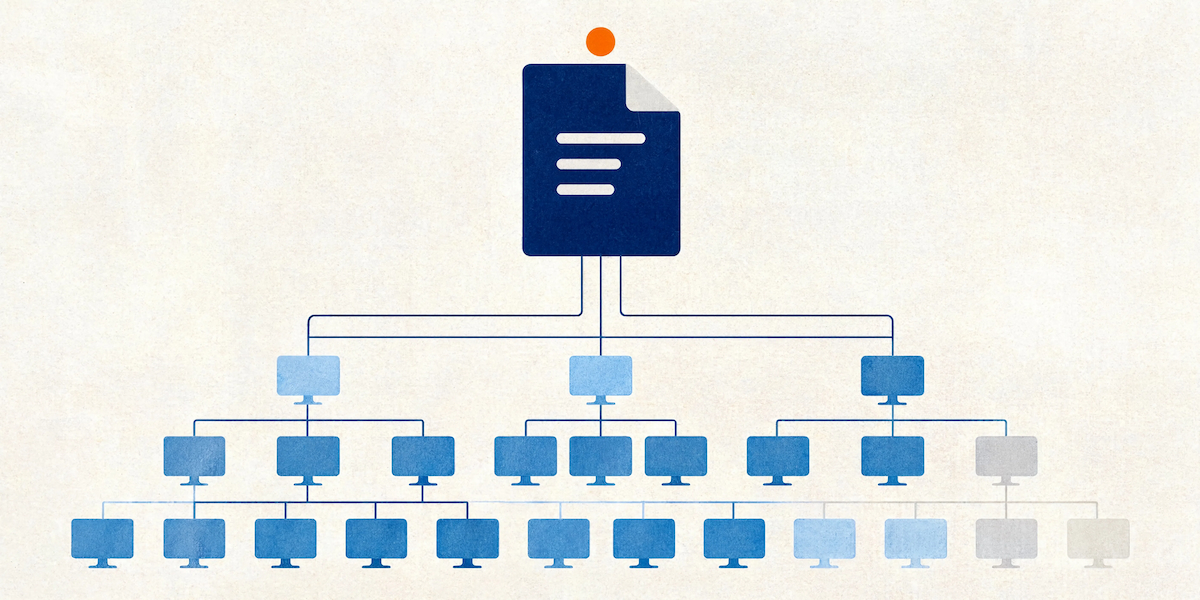
This matters enormously for templates, because a template is a font-delivery machine. Every time someone makes a document or deck from your template, your brand font goes along for the ride, often embedded in the file, often sent to people and places your licence never anticipated.
The three licence types that catch people out
Most font confusion comes from not realising that a desktop licence, a web licence and an app licence are separate things you have to buy separately. A desktop licence lets you install the font and use it in Word and PowerPoint on your own machines. It doesn't automatically let you embed that font in an app, use it in a dynamic document generator, or serve it on your website. Those are different licences with different costs.
The classic mistake plays out like this. A business licenses a beautiful font for desktop use, builds it into the corporate templates, and feels organised. Then those templates get loaded into an automated document system, or embedded in a customer-facing app, or pushed through a tool that regenerates documents on the fly. Suddenly the font is being used in a way the desktop licence never covered, multiplied across thousands of documents. Nobody decided to breach anything. The structure just grew past the paperwork.
What changed in 2026
Two shifts make this more pressing than it used to be.
First, the major foundries have started adding explicit AI clauses to their licences. Monotype and Hoefler & Co., among others, have updated their 2026 agreements with strict terms about AI. Some restrict whether a font can be embedded in files that feed AI tools or used in AI-driven generation. As Copilot and similar tools move into agent mode, actively generating and reformatting documents, this stops being theoretical. Your templates feed those tools every day. It's worth knowing whether your font licence is comfortable with that.
Second, the move to subscription font services has created what the industry now calls "font debt". You rent the fonts monthly. Stop paying, and any document referencing those live fonts shows a missing-font warning and substitutes something generic. Your beautifully built template library degrades the moment the subscription lapses. Variable fonts, the flexible single-file typefaces that have become popular, often carry premium licensing on top. The convenience is real. So is the dependency.
Why this is a template problem as much as a design problem
Brand guidelines love to specify a font. They almost never specify how that font should be embedded, what happens when it isn't installed, or which licence tier covers the way the business actually works. That gap lands squarely on whoever builds the templates, which is where we come in.
When we build a template, font strategy is part of the engineering from the start, rather than an afterthought. A few things make the difference between a template that protects you and one that exposes you.
Embedding permissions. Fonts carry an embedding flag that controls whether they can travel inside a document at all. Some are set to "editable", some to "print and preview" (which locks the document for editing once embedded), and some to "no embedding". If you embed a print-and-preview font, the whole document becomes read-only, which is a nasty surprise to discover after distribution. A template built without checking these flags is a template waiting to misbehave.
Sensible fallbacks. A well-built template defines what happens when the brand font isn't available, so a recipient without it sees a considered substitute rather than whatever the application grabs at random. This keeps documents looking deliberate even outside your walls.
Theme-level setup. Fonts defined properly in the Office theme, rather than applied by hand to individual elements, behave predictably when documents are shared, edited, or restyled by Copilot. They also make the licensing footprint legible, because you know exactly which fonts your templates depend on.
The SharePoint Brand Center angle
Microsoft has been building this thinking into Microsoft 365 itself. The SharePoint Brand Center lets businesses set up brand font packages centrally, and Microsoft's own documentation is clear that some font licences restrict commercial use, redistribution, or embedding. In other words, even Microsoft's tooling now asks you to confirm you have the rights before you roll a font out across the business.
That's a sensible prompt. If you're centralising brand assets so that everyone, and every AI tool, pulls from one approved source, that's exactly the right moment to confirm your licences actually permit what you're about to do at scale.
How the problem usually surfaces
Font trouble rarely arrives as a dramatic legal letter. More often it shows up as a series of small, baffling annoyances that nobody connects to licensing.
A client opens a proposal you sent and the headings look wrong, because their machine didn't have your brand font and the document had no fallback defined, so PowerPoint or Word picked something generic. A document comes back locked for editing, because a print-and-preview font got embedded and quietly froze the file. A subscription invoice goes unpaid during a finance handover, and a fortnight later someone notices the whole template library has reverted to a default typeface. None of these feels like a licensing issue in the moment. All of them are.
The deeper risk sits with scale. A single document using a font slightly outside its licence is a small thing. The same font, embedded in a master template, deployed across a business of five hundred people, generating thousands of documents a month, some of them customer-facing, is a different order of exposure. Templates multiply whatever you put in them, including risk. That's precisely why the font decision belongs at the template-build stage, where it can be checked once and got right, rather than left to chance across every document anyone happens to create.
What to check this week
You don't need a legal team to get ahead of this. Start with three questions. Which fonts do our core templates actually use? What licence do we hold for each, and does it cover desktop, embedding and any automated or app-based use we rely on? And if we're on a subscription, what happens to our document library if it ever lapses?
If the answers come back fuzzy, you're not unusual. Most businesses have never mapped it. But fuzzy is fine to discover now and expensive to discover in a cease-and-desist letter. Fonts are one of the few brand assets that carry real legal weight, and they're hiding inside every template you own.
When we build or rebuild a template library, sorting the font strategy is part of making it bulletproof. Get it right once, at the template level, and every document your business produces stays both on-brand and on the right side of the licence. That's the sort of unglamorous detail that never wins an award and saves you a world of bother.
Claire is a design and template specialist at Ideaseed, working across presentation design, document design, accessibility and Microsoft Office templates. She focuses on building templates that are visually polished and technically sound, right down to the font licensing details most people never think to check.
Want to know whether your templates are built properly, fonts and all? Start with our free template health check: ideaseed.com.au/questionnaire.
Need a branded template? We can turn it around overnight.
Australia's Microsoft Office template specialists with a South Africa team that delivers while you sleep.


RAVE REVIEWS
who we work with


.svg)
.svg)
.svg)
.svg)








